
 Français
 Deutsch
  Español
  Italiano
  العربية
  Ελληνικά
  Nederlands
  日本語
日本語  Português
  Polski
  Norsk
Norsk  Dansk
Dansk Virtual Watch Try On
Make your watch brand more visible to customers with our AR watch try-on and let them make a quick and confident purchase decision. Let them visualize the watch on their wrist in real time directly through their smartphone, tablet, or desktop.
Our Clients




Why iAUGMENT Virtual Try-On Works
Advanced resources to make your watch brand successful.
Platform & Setup

Dedicated Dashboard
The watch virtual try-on offers a dedicated dashboard where you can gather valuable insights and optimize your AR watches.

Go Live Quickly
The AR watch try-on uses 2D images, making the development and deployment process quick and easy to launch on your watch website.

Customization
The virtual try-on for watches offers multiple customization options like model try-on, skin tone change option, placement options, and more.
Experience & Growth

Real world Experience
Customers can experience the AR watches in the real world using their mobile camera to have a better perspective about their purchase.

Buy with Confidence
After experiencing the watch through AR, customers become more confident about their purchase, greatly reducing the chances of returns.

Attract Digital-first Buyers
Watch try-on appeals to digital-first buyers, as it lets them experience the product through AR watches try-on from the comfort of their home.
Key features of AR Watches Try-on
Unmatched features that complement your watch brand
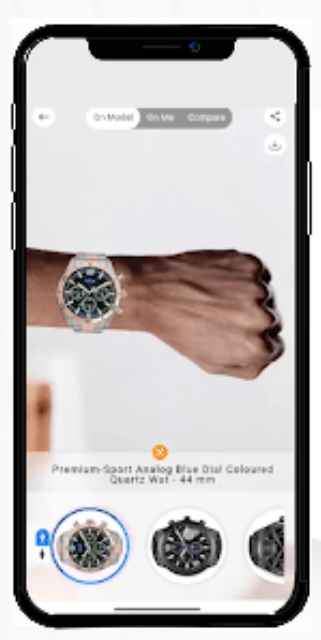
What This Video Demonstrates
This demo shows iPhygital's realistic 3D watch visualization technology. The video highlights how luxury timepieces are featured with true-to-life textures, reflections, materials, and finishes — allowing online shoppers to experience an authentic, high-fidelity AR preview before making a purchase decision.
Full Transcript
[00:00] Introduction to the realistic 3D watch visualization feature.
[00:04] Close-up showcasing true-to-life material textures and matte finishes on the bezel.
[00:10] Watch rotates under dynamic lighting to display complex sapphire crystal reflections.
[00:18] Detail shot highlighting accurate metallic reflections on the watch casing and strap links.
[00:26] Final presentation demonstrating an authentic, premium AR watch try-on experience.
Realistic 3D Watch Visualization
Feature watches with true-to-life textures, reflections, materials, and finishes for an authentic AR watch try-on experience.
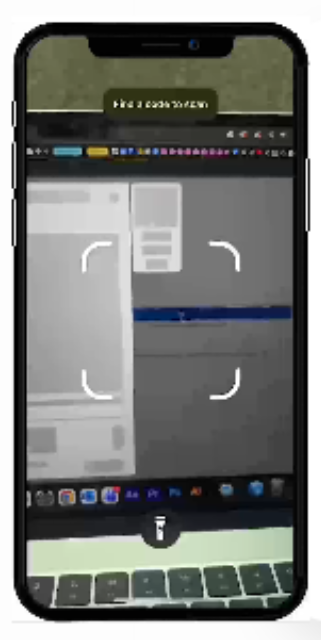
What This Video Demonstrates
This demo shows iPhygital's app-less operation for virtual watch try-on solutions. The video highlights how customers can effortlessly access the AR experience directly through product description pages, QR codes, campaign links, or an existing mobile ecosystem without needing to download a dedicated app—streamlining the path to purchase.
Full Transcript
[00:00] Introduction to the frictionless app-less operation feature.
[00:04] Customer browses an e-commerce website on a desktop monitor.
[00:10] A custom QR code is scanned using a smartphone camera app.
[00:16] The virtual watch try-on interface launches instantly in the mobile browser.
[00:24] Demonstration of cross-device syncing and direct product page access.
App-less Operation
Virtual watch try-on does not require an app for operation. Customers can directly access it through the product description page, QR codes, campaign links, and the existing watch mobile app.
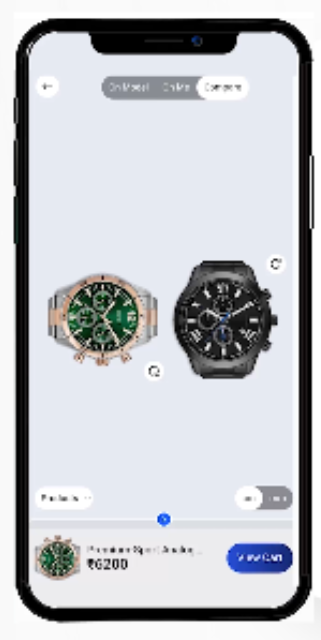
What This Video Demonstrates
This demo shows iPhygital's multiple watch variation and comparison feature. The interface highlights how online shoppers can seamlessly switch between multiple watches, compare different design variants side by side, stack models, or try them on a personalized virtual model to confidently evaluate styles before buying.
Full Transcript
[00:00] Introduction to the multiple watch variations and comparison interface.
[00:05] Shopper selects a sport chronograph watch to view on a virtual model.
[00:12] User switches instantly to a classic black leather strap variant to compare the fit.
[00:20] Side-by-side comparison mode is activated, showing both watch variations simultaneously.
[00:28] Demonstration of personalized model configurations and final configuration layout.
Multiple Watch Variations
The AR watches try-on allows users to switch between multiple watches, compare multiple variants, stack watches, and try on a model with a personalized experience.
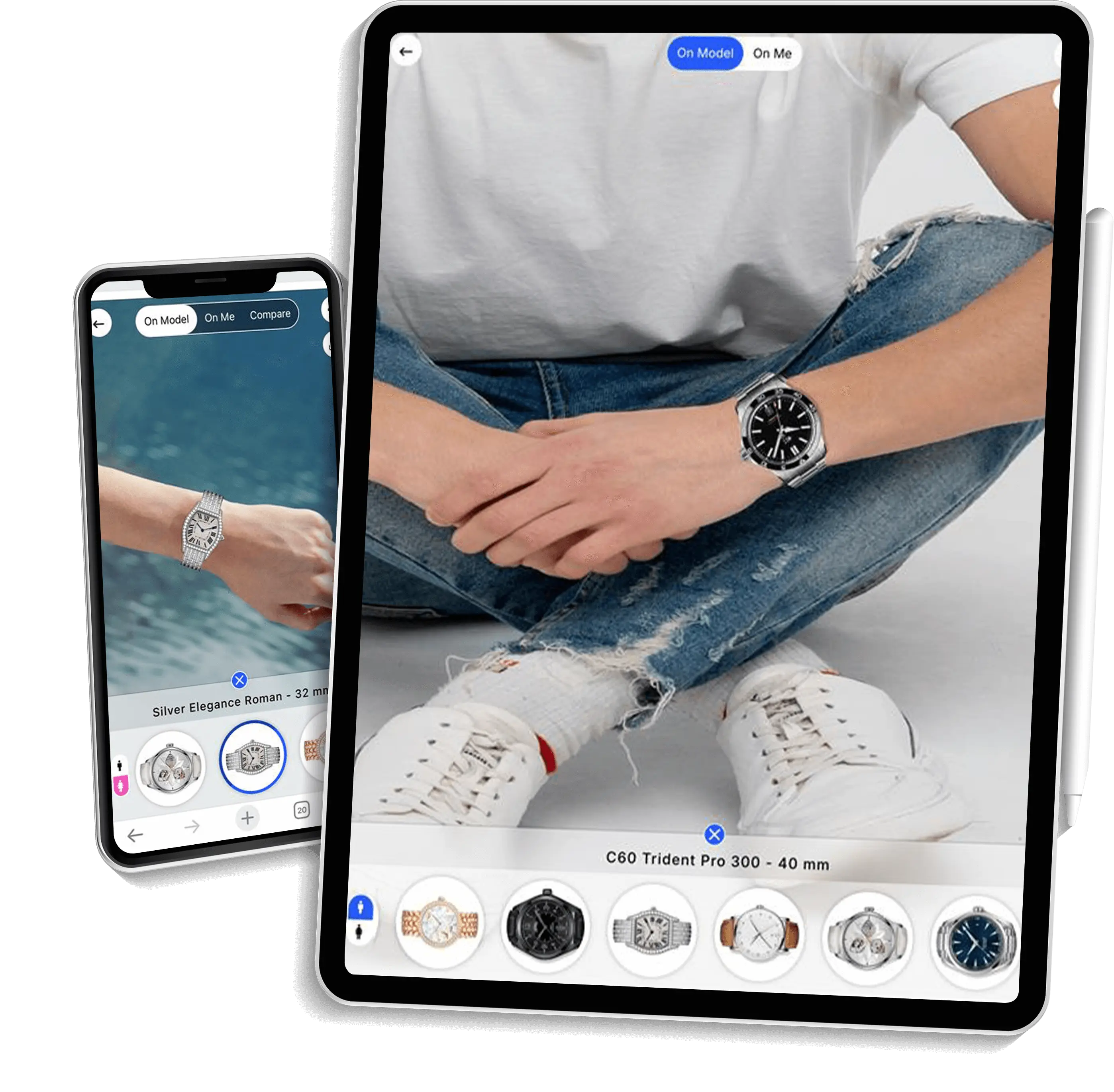
Cross-Device Compatibility
Customers can smoothly use our virtual watch try-on solution on any device. A desktop or laptop syncs with a mobile within seconds for a better product understanding.
Frequently asked Questions
- First, from the product detail page of a specific item.
- Second, through a virtual try-on tab or section on the home page.
In the second flow, the user selects the category they’re interested in and is then directed to the VTO page, where they can take a photo and see how the products look on them. Through this flow, they can explore and try all products available in the catalog.